Bulk Folder Icon Changer
Select many folders, change all their icons at once.
Adds Change Folder Icon to the bottom of the folder context menu in Windows, so you can select several folders and give them a new icon together.
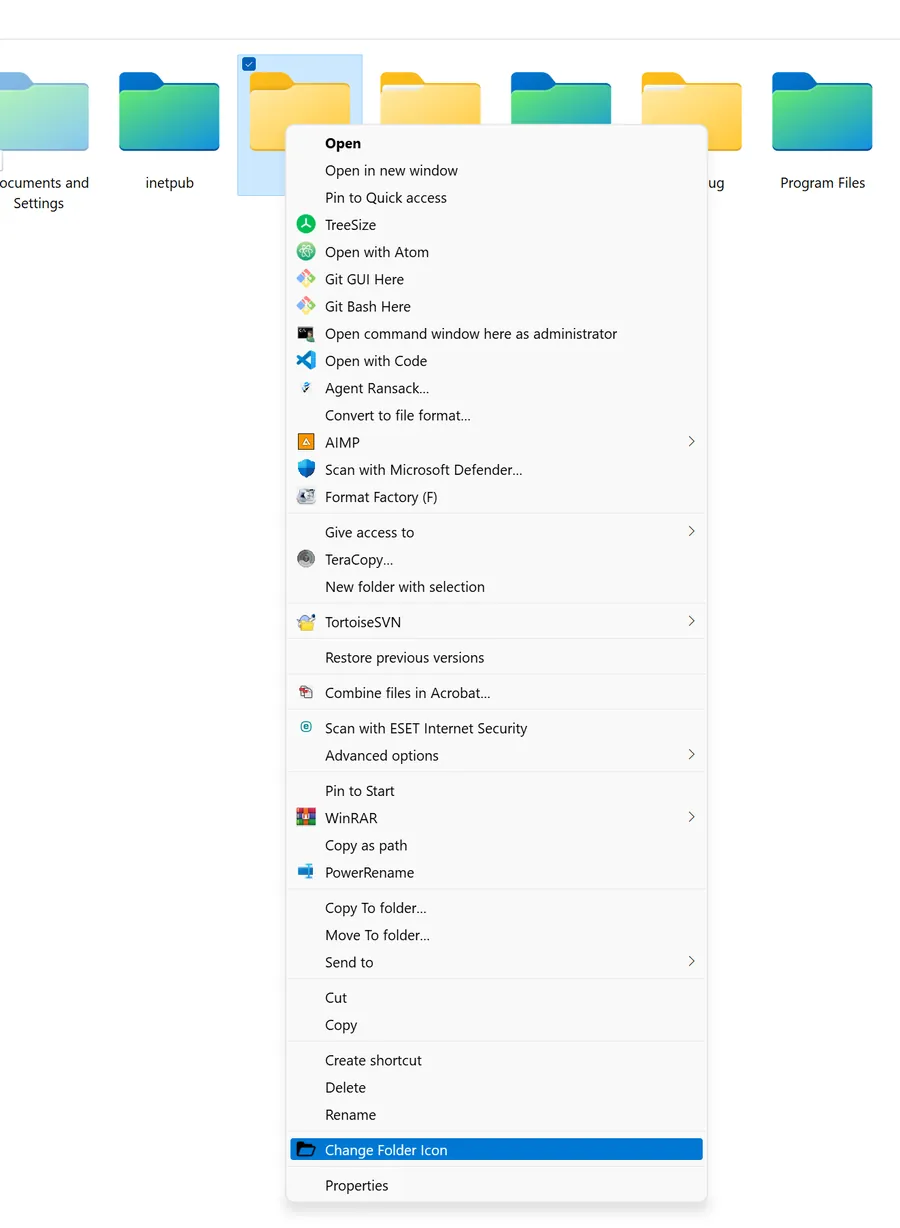
What you are looking at
- Select one folder or many, right-click, and the new item is at the bottom.
- The screenshot is from Windows 11; the repository still carries its Windows 10 name.
Screenshot from the original project, April 2022 or earlier.
// what-it-does
What it does
Windows lets you change a folder's icon one folder at a time, through Properties. That is fine for one folder.
For a project tree or a media library, you want to select the lot and do it once. The tool adds that as one menu item.
// how-it-was-built
How it was built
A shell extension entry and a small helper.
It hooks into the folder context menu, where Windows already lists what you can do with a selection.
Archived. The source is on GitHub under BlackSwanLab.
// portfolio/
Where the work went next
The portfolio is the record. The plugins, apps and systems I still maintain have their own pages, with current versions and numbers.
- PortfolioEvery old project, filterable by category
- ProductsThe plugins, apps and systems I keep running
- Open sourceEvery public project, with its status and numbers
- Ultimate InvoiceInvoices, slips and labels for WooCommerce
- Advanced Profile SolutionGrown from Ultimate Profile Solutions
- Receipt Uploader for WooCommerceBank transfer receipts, against the right order
- ServicesWordPress, WooCommerce and custom builds today